Have you ever made a purchase on Shopee and immediately regretted it? Perhaps you found a better deal elsewhere, or you simply changed your mind. Many users wonder, can you cancel Shopee order? The answer isn’t always straightforward, and the cancellation process depends on several factors, including the order status and the seller’s policies. This article provides a comprehensive guide to understanding the Shopee order cancellation process, offering step-by-step instructions and helpful tips to navigate potential issues.

1 / 2

R$ 5.199,00
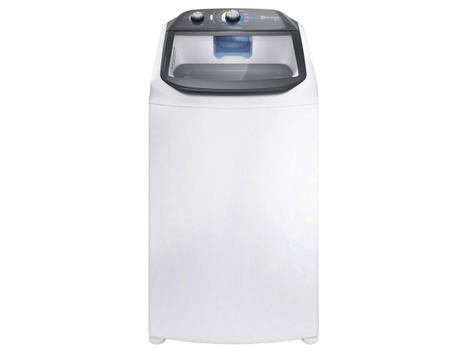
R$ 1.899,00

R$ 1.851,55
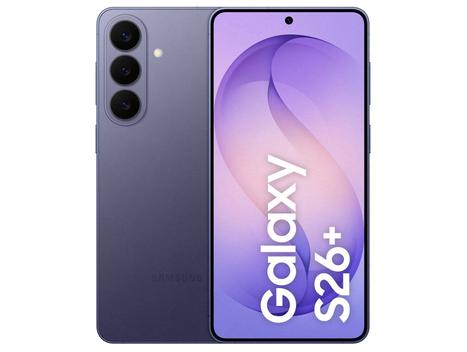
R$ 9.719,10
Understanding Shopee’s Order Cancellation Policy
Before attempting to cancel an order, it’s crucial to understand Shopee’s policies regarding cancellations. Shopee allows buyers to request cancellations under specific circumstances. Usually, a buyer can request a cancellation if the seller hasn’t shipped the order yet. The window for cancellation is generally open until the seller arranges for shipment. After the seller ships the order, the cancellation process becomes more complex, often requiring the seller’s approval or involving a return process after delivery.
However, Shopee’s policies are designed to protect both buyers and sellers. Sellers who ship promptly are rewarded, while buyers are given a reasonable opportunity to rectify mistakes. Always check the order status on your Shopee account to determine the appropriate course of action. Furthermore, familiarizing yourself with these policies will help you manage your expectations and avoid unnecessary complications.
Steps to Request an Order Cancellation on Shopee
If you determine that your order is eligible for cancellation, the following steps will guide you through the process:
Step 1: Access Your Shopee Account
First, open the Shopee app or visit the Shopee website on your computer. Log in to your account using your registered email address or phone number and password. Make sure you are accessing the correct account associated with the order you wish to cancel. This seems simple, but it is necessary to ensure you can manage your orders efficiently.
Step 2: Navigate to “My Purchases”
Once you’re logged in, locate the “Me” tab on the bottom right corner of the app or, on the website, find your profile icon. Tap or click on it, and you’ll find a section labeled “My Purchases.” This section displays all your past and current orders. It’s your central hub for managing everything you’ve bought on Shopee.
Step 3: Locate the Order You Want to Cancel
Scroll through your list of orders until you find the specific order you wish to cancel. The orders are usually listed in chronological order, with the most recent purchases at the top. If you have many orders, use the filter options at the top of the page to narrow down your search by order status (e.g., “To Pay,” “To Ship,” “To Receive”).
Step 4: Tap on “Cancel Order”
Once you’ve found the correct order, tap on it to view the order details. If the order is still within the cancellation window (i.e., the seller hasn’t shipped it yet), you should see a “Cancel Order” button. Tap on this button to initiate the cancellation process. If you don’t see this option, it’s likely the seller has already shipped the item.
Step 5: Select a Reason for Cancellation
After tapping the “Cancel Order” button, Shopee will prompt you to select a reason for the cancellation. Choose the option that best describes why you want to cancel the order. Common reasons include “Changed my mind,” “Found a better price,” “Seller is taking too long to ship,” or “Other.” Selecting the most accurate reason can sometimes expedite the cancellation process. Therefore, choose wisely.
Step 6: Submit Your Cancellation Request
After selecting a reason, you might be asked to provide additional details or comments. Briefly explain your reason for canceling the order. Once you’ve completed this step, tap the “Submit” button to send your cancellation request to the seller. Make sure all information is correct before submitting the request.
Step 7: Wait for Seller’s Approval or Shopee’s Decision
Once you submit your cancellation request, the seller will be notified and given the opportunity to respond. If the seller approves the cancellation, the order will be canceled, and you’ll receive a notification. However, if the seller doesn’t respond within a specific timeframe (usually a few days), Shopee will automatically approve the cancellation. In some cases, the seller might reject your cancellation request, especially if they’ve already shipped the order. If this happens, you may need to wait until you receive the order and then initiate a return request.
What Happens After You Cancel a Shopee Order?
After successfully canceling a Shopee order, several things occur, depending on the payment method used.
Refund Process
If you paid for the order using ShopeePay, credit card, or online banking, the refund will be processed back to your original payment method. The time it takes to receive the refund varies depending on the payment method and your bank’s processing times. Typically, refunds are processed within 3-7 business days. Keep an eye on your ShopeePay balance or bank statement to confirm the refund. In short, be patient, refunds may take some time.
Voucher and Coin Reimbursement
If you used any Shopee vouchers or Shopee coins on the canceled order, they would be credited back to your account. Vouchers are usually reinstated immediately, but coins might take a few hours to reappear in your balance. Check your voucher and coin balance after the cancellation to ensure they’ve been properly returned.
Order Status Update
The order status will be updated to “Canceled” in your “My Purchases” section. This confirms that the cancellation was successful and that no further action is required from your side. Keep the cancellation confirmation for your records, just in case any issues arise later. Therefore, it is advised to keep good records.
Troubleshooting Common Cancellation Issues
Despite following the correct steps, you might encounter some issues during the cancellation process. Here are some common problems and how to address them:
Seller Rejects Cancellation Request
If the seller rejects your cancellation request, especially if they’ve already shipped the order, you’ll need to wait until you receive the item. Once you receive it, you can initiate a return request through Shopee’s return/refund process. Make sure to provide clear photos or videos of the item if it’s damaged or not as described. Furthermore, provide a clear explanation.
No “Cancel Order” Button
If you don’t see the “Cancel Order” button, it means the seller has already arranged for shipment. In this case, you cannot cancel the order through the app. Contact the seller directly via Shopee chat to explain your situation and see if they are willing to cancel the order on their end. Communication can often resolve issues.
Delayed Refund
If you haven’t received your refund within the expected timeframe, check your ShopeePay balance or bank statement first. If the refund isn’t there, contact Shopee’s customer service for assistance. Provide them with your order number and cancellation details so they can investigate the issue. Additionally, keep all your supporting documents handy.
Can You Cancel Shopee Order: FAQs
Below are some frequently asked questions about order cancellations on Shopee. These answers may help clarify any remaining doubts and provide additional guidance.
How long do I have to cancel a Shopee order?
You can typically cancel an order as long as the seller hasn’t shipped it yet. The exact timeframe varies depending on the seller’s processing time. Check the order status regularly to see if the “Cancel Order” button is still available.
What if the seller doesn’t respond to my cancellation request?
If the seller doesn’t respond within a certain period (usually a few days), Shopee will automatically approve the cancellation. You’ll receive a notification once the cancellation is processed.
Can I cancel an order after it has been shipped?
Once an order has been shipped, you cannot cancel it through the standard cancellation process. You’ll need to wait until you receive the item and then initiate a return request if necessary.
Will I get a full refund if I cancel my order?
Yes, if you cancel your order successfully, you’ll receive a full refund, including any shipping fees you may have paid. The refund will be credited back to your original payment method.
What if I used a voucher on the order? Will I get it back?
Yes, any vouchers used on the canceled order will be credited back to your account for future use. Check your voucher balance to confirm that they have been returned.
Tips for a Smooth Cancellation Process
To ensure a smooth and hassle-free cancellation experience on Shopee, consider the following tips:
Act Quickly
If you need to cancel an order, do it as soon as possible. The sooner you submit the cancellation request, the more likely it is to be approved before the seller ships the item.
Communicate with the Seller
If you encounter any issues or have questions about the cancellation process, communicate with the seller directly through Shopee chat. A polite and clear explanation of your situation can often lead to a resolution.
Provide Accurate Information
When submitting your cancellation request, provide accurate and detailed information about why you want to cancel the order. This helps the seller and Shopee understand your situation and process the request more efficiently.
Keep Records
Keep records of all your communications, cancellation requests, and refund confirmations. This documentation can be helpful if any disputes arise or if you need to contact Shopee’s customer service for assistance. Therefore, keeping good records is always important.
Understand Shopee’s Policies
Familiarize yourself with Shopee’s order cancellation and return policies. Understanding these policies will help you manage your expectations and navigate the cancellation process more effectively. In conclusion, knowledge is power.
Conclusion
In conclusion, understanding can you cancel Shopee order process is essential for all Shopee users. By following the steps outlined in this guide, you can navigate the cancellation process effectively. Moreover, remember to act quickly, communicate clearly, and familiarize yourself with Shopee’s policies to ensure a smooth experience. Ultimately, understanding these tips will help you confidently manage your purchases on Shopee.